Microsoft releases Windows 8 Consumer Preview

1537_Win8Logo_01_008485DDToday at an event in Barcelona, Spain at Mobile World Congress, Microsoft have announced the availability of the Windows 8 Consumer Preview.

The consumer preview builds on the developer preview that was released last year during Microsoft’s Build conference. While the previous release was aimed at being mostly an API complete release, today’s release is about consumers and the features consumers will be using within Windows 8.

I don’t yet have an exhaustive list of what’s included in the Consumer Preview, but I wanted to touch on some of the key themes involved with Windows 8:

Metro-style interface – Continuing with the design experience as introduced with Windows Phone, Microsoft is bringing Metro to the desktop with Windows 8.  This is huge. Microsoft is give Windows a radical facelift and this doesn’t even begin to include the improvements to the Windows desktop.
Touch-centric interaction – Windows 8 is designed to be touch-centric. What this means is that Microsoft is intending for touch to be the primary interaction, but they haven’t forgotten about mouse and keyboard users either. The Consumer Preview is expected to contain many improvements for mouse and keyboard users.
App Stores are all the rage – Following in the steps of the Windows Phone Marketplace as well as Apple’s Mac App Store and the Android Market, Microsoft is introducing the Windows App Store.  The App Store will be used for distributing new Metro-style Apps as well as a listing service for Desktop apps. 

A key word that Microsoft has used over and over again is “reimagined.” Windows 8 is exactly that. Reimagined.

For more about Windows 8 or to download the Windows 8 Consumer Preview, visit http://preview.windows.com

Most Valuable Professional for 2012

This morning I woke up to some New Year’s cheer. Microsoft has named me a Most Valuable Professional in the Windows Home Server category for 2012.

Dear Tom Ziegmann,
Congratulations! We are pleased to present you with the 2012 Microsoft® MVP Award! This award is given to exceptional technical community leaders who actively share their high quality, real world expertise with others. We appreciate your outstanding contributions in Windows Home Server technical communities during the past year.

I’d like to say thank you to the Home and Small Business Server team for this award, as well as the MVP team for everything they do, as well as congratulate my fellow returning MVPs and welcome any newbies.

Updates for SharePoint Foundation 2010

If you are running SharePoint Foundation 2010 on Windows Home Server, this post is for you.

Microsoft has released some updates for SharePoint that you may or may not have seen through Windows Update. If you have not updated, then I would advise that you do, as the base version of SharePoint Foundation can be woefully out of date.

The updates that you will want to install (as of October 26, 2011):

– SharePoint Foundation Service Pack 1 – http://www.microsoft.com/downloads/details.aspx?FamilyId=0F56EBFB-183F-4F4D-9D41-DF1E5ACEB893

– June 2011 Cumulative Update (must be installed after Service Pack 1 and after installation reboot before installing next update) – Click here

– August 2011 Cumulative Update – Click here

NOTE: After each update, you must re-run the SharePoint 2010 Products Configuration Wizard to apply the update to your installation. This means you must run wizard three times before your installation is fully patched.

Update to Installing SharePoint Foundation 2010 on Windows Home Server

Tonight, I have released an update to the how-to guide, Installing SharePoint Foundation 2010 on Windows Home Server.

The guide can be found here. Please note even though the post says first draft, the PDF link and the Scribd document have been updated.

The following updates have been included:

– Grammatical errors have been addressed

– Corrected directions to prevent users from seeing an error message similar to the one below. When asked for credentials during the SharePoint database creation process, they must be entered in the form of servernameusername.

clip_image002

Technorati Tags: Microsoft,Windows,Office,Windows Home Server,Windows Home Server 2011,SharePoint

Here’s an APPortunity to Go Mango!

WebGraphic_300x250

Microsoft has a really cool new promotion running that I thought I’d let everyone know about.

It’s called GO Mango!, and it’s designed for you phone developers out there to design and develop apps for Windows Phone 7.

For every app you submit, you’ll receive an entry to win a Samsung Series 7 Slate, and for every five apps you submit, you can win free advertising for one app of your choice.

If you have not developed for Windows Phone before, here’s a link to the Windows Phone SDK, http://bit.ly/GoMango.

To participate in this promotion, you need two things. The first, an app that you’ve developed, and the second is the ever important promo code. For this promotion, the code is 8UCVN.

Fill out the form located at http://bit.ly/MangoOffer, include the promo code, and submit your app today!

Fix for servers with Exchange 2007 / 2010 and Internet Explorer 9 installed

If you are a Small Business Server 2008 or 2011 user, you have Internet Explorer 9 installed on your server, and you try to close the Exchange Management Console, you may encounter an error similar to the one listed below.

You must close all dialog boxes before you can close Exchange Management Console

Microsoft has released a fix for this issue and I’ve included the download links below. In order to install this fix, you must have the latest updates installed from Microsoft Update as of October 11th, 2011. If you have not updated your server(s), do so before installing this patch.

If you are not experiencing this issue, it is advised that you don’t install this patch, as it has not been as thoroughly tested, and is planned to be rolled up into a future Internet Explorer update.

For Windows Server 2008 / Small Business Server 2008 systems – click here

For Windows Server 2008 R2 / Small Business Server 2011 systems – click here

Microsoft Knowledge Base Article #: 2624899

A server for the home or small business

After having used such servers as the HP MediaSmart Server, the HP Proliant MicroServer, and various Dell servers, I decided to set out to see if I could build my own server for a reasonable cost with features I desired.

The intent of this build is to showcase a server that can be used in the home with Windows Home Server 2011 (yes, this build is somewhat overkill), and in home based / small businesses, with Small Business Server 2011 Essentials or Small Business Server 2011 Standard.

My requirements were as follows:

· Total cost could not exceed $1500. (Ideally, I wanted to stay at or below $1000.)

· All parts used must be server grade. By that I mean, must have 3-5 year warranty depending on part, and similar to parts used by the major server manufacturers.

· Must support future expandability. Must support large amounts of memory and case used must support addition of multiple hard drives.

· With Windows 8 and Windows 8 Server on the horizon, processor support for Second Level Address Translation (SLAT) and hardware virtualization were key to this build.

So what parts did I use?

· Antec VSK-2450 Mid Tower Case

· Intel Server Board S1200BTS

· Intel Xeon Processor E3-1230 (3.2GHz, 8MB Cache)

· Kingston 4GB 1333MHz DDR3 ECC RAM

· Western Digital RE4 Enterprise 1.0TB Hard Drive

Specs as configured:

· Intel Server Board S1200BTS

· 16GB ECC DDR3 RAM

· (1) 1.0TB Western Digital RE4 Enterprise Hard Drive

· Intel Xeon E3-1230 Processor

How does this build stack up to my requirements?

· Total cost: $1050+tax. I bought all the parts I needed from a local vendor instead of online and was willing to pay a bit more because of it. It is entirely possible to find these parts for cheaper online, but if you can, support your local businesses.

· Warranties on all parts are at least three years. Western Digital’s warranty is five years on enterprise hard drives, and on memory Kingston has a lifetime warranty.

· From an expandability standpoint, the case allows for up to 6 hard drives, the motherboard allows for 6 SATA connections, and the motherboard supports a maximum of 32GB of RAM.

· The processor used in this build supports hardware virtualization and SLAT, or as Intel calls it, Extended Page Tables. When looking for an Intel-based processor to be used for virtualization I suggest ensuring that it supports Intel-VT and Extended Page Tables. The Intel ARK tool, http://ark.intel.com, is a great resource for that type of information.

In the coming weeks, I’ll be showcasing more about what this server can do.

Team Note-Taker featured in BBC interview

Team Note-Taker from Arizona State University was featured in an interview with the BBC and were introduced by Steve Ballmer, CEO of Microsoft.

Team Note-Taker from Arizona State University interviewed by BBC

Team Note-Taker presents at Imagine Cup 2011

IMG_0334Today, Team Note-Taker from Arizona State University, presented to the judges in the first round of the 2011 Imagine Cup.

David Hayden, Michael Astrauskas, Shashank Srinivas, and Qian Yan, spoke to a four person panel about the Note-Taker project.

The Note-Taker was conceived in 2007 as a way for David Hayden to solve a challenge he was having. He had added a Mathematics major to an existing Computer Science major and was struggling to keep up with the pace of note taking (12 whiteboards in 45 minutes sometimes!) due to having low-vision. He wasn’t going to let this get in the way of pursuing his passion so he developed the Note-Taker.

The Note-Taker is a hardware / software combination that allows its users to easily take notes IMG_0284without needing outside assistance. Note-Taker combines a USB connected camera with pan / tilt / zoom functionality, a Microsoft Office OneNote 2010 add-in, and a tablet PC into an all in one solution.

One might wonder why not use an existing assistive technology. The problem with existing technologies are that they have what the team calls “board-note-board” delay. This is the delay that occurs when one looks at the board, down to write notes, and then back up to the board again. Note-Taker eliminates this delay because the user stayed focused on their tablet PC and a split screen view shows their notes and the video that the camera is seeing.

The team sees their project as a way to improve access to education for low-vision individuals. According to statistics presented by the team fewer than 40% of the 20 million low-vision individuals in the United States participate in the workforce. Team Note-Taker believes that this is due to the lack of access to education. Through Note-Taker, low-vision individuals now have a way to access education and improve their quality of life.

Note-Taker successfully made it through the first round of competition, and we will find out this evening at 8PM EST if they move on to the finals.

Imagine Cup 2011–Day 1–Opening Ceremony

Imagine Cup 2011 – Day 1

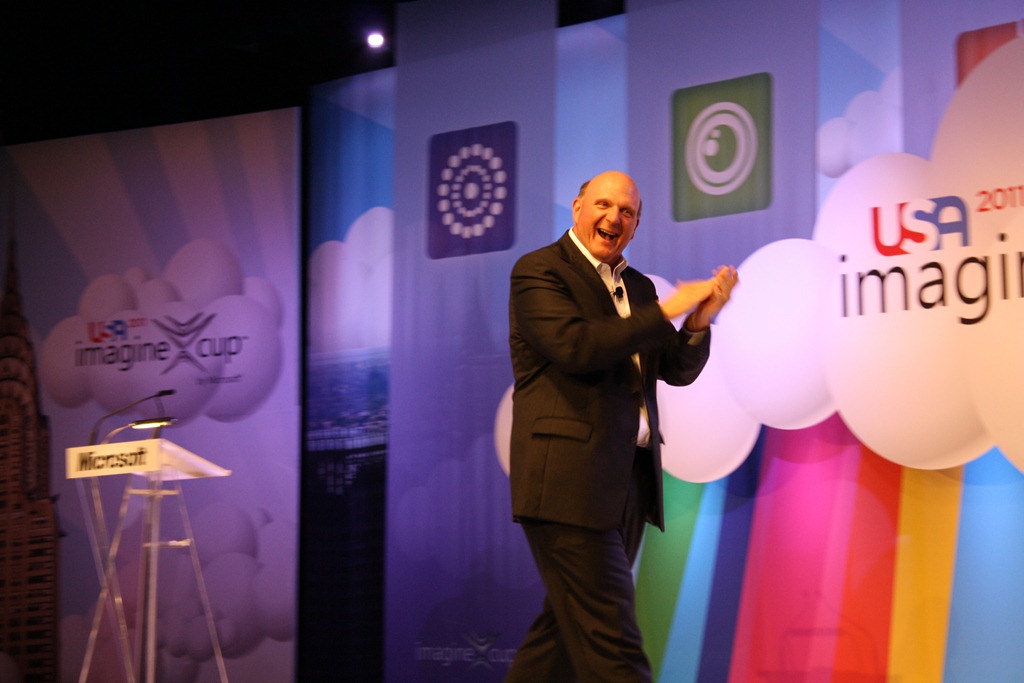
Tonight in New York City, Steve Ballmer along with Jon Perera, General Manager of Microsoft Education, Arthur VanderVeen, CEO of the Office of Innovation at the New York Department of Education, Jeffrey Sachs, director of The Earth Institute at Columbia University and Special Adviser to United Nations Secretary General Ban Ki-Moon, and Dennis Crowley, co-founder and CEO of Foursquare officially opened the 2011 Imagine Cup Worldwide Finals.

The energy in the room was electric. The passion and the excitement from the students here is incredible. As soon as Ballmer’s name was announced the noise level in the room intensified. It was crazy.

IMG_0086Ballmer talked to the students about how they are in a business that is constantly working to change the world. He talked about the importance of the cloud and the impact it is having on the world and the students’ projects by enabling real time collaboration, commerce, and social interaction. Ballmer also talked about how devices of the future would be dynamic, faster performing, and include more sensors and do more things. Ballmer also mentioned that Natural User Interfaces would open up new possibilities and enable even more people to use computers.

IMG_0149IMG_0124To close out his remarks, Ballmer gave the students three key pieces of advice. The first is that ideas matter. When you come up with an idea make note of it. Stick with it. The second is to be passionate about what your idea and what you do. The third is to be tenacious. Don’t give up. Stick with it and see the idea through until the end.

IMG_0154Jeffrey Sachs then came to the stage and talked to the students about how the world has changed and there are many challenges that we face. These challenges range from strain on world food supplies to population growth, climate change, hunger, and others. He told students they were being given a lifetime homework assignment, and that this assignment was to find ways to better the world and to solve these tough challenges.

To close out the evening, Dennis Crowley came to the stage and talked to the students about IMG_0186sticking with their ideas and seeing them through. He talked about his experience with startups and said that Foursquare’s success is “built off of 10 years of failure.” He told students to never give up on their ideas and that even if the present wasn’t the best time for their idea, it could be a year from now, two years for now, or even ten years from now, but to be persistent and stick with it.

Tomorrow the competition begins.